Academy Master Setup
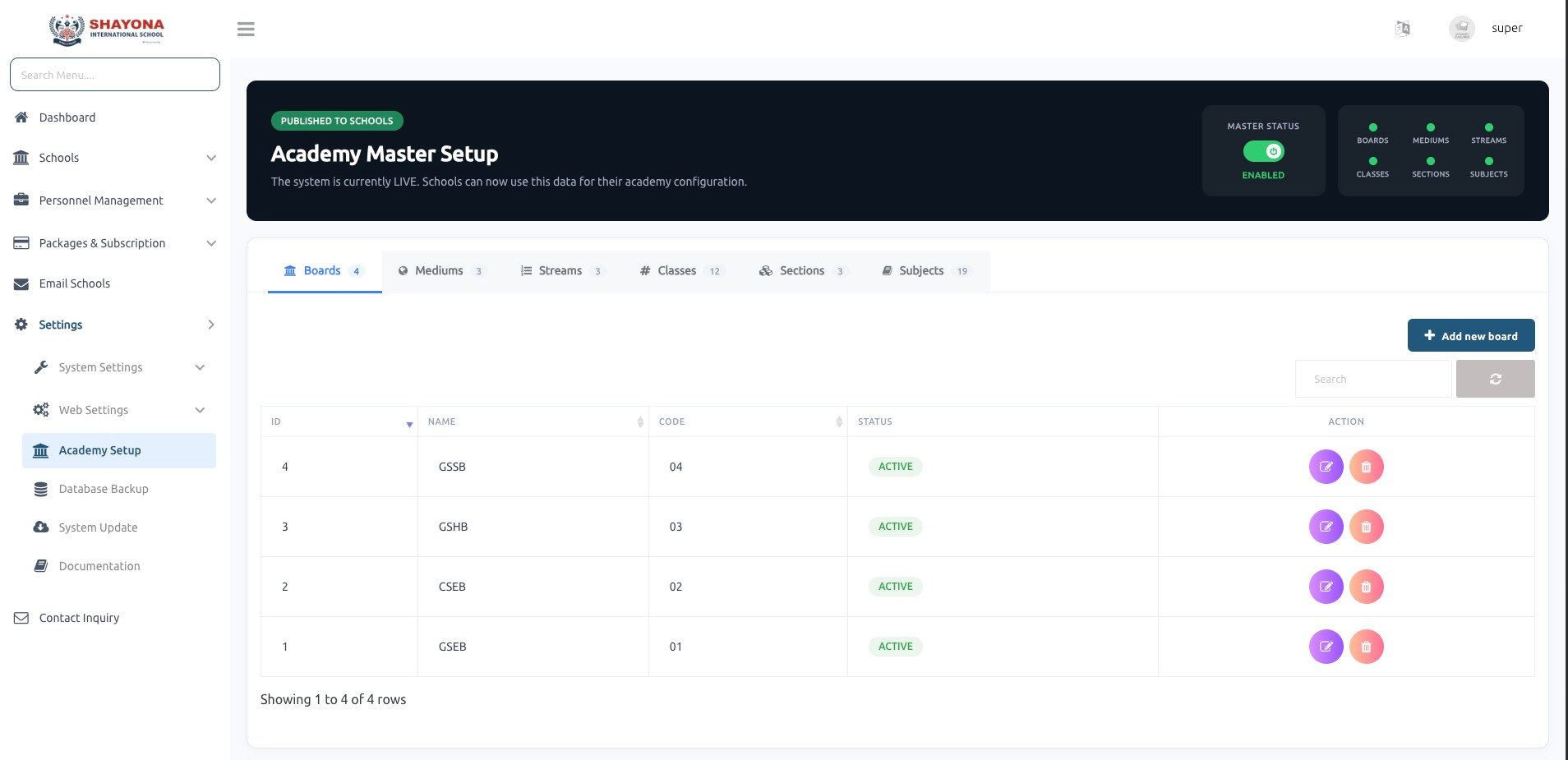
Provides a centralized interface for managing core academic master data used across all schools. It allows the Super Admin to define and publish structured academic configurations such as:
- Boards
- Mediums
- Streams
- Classes
- Sections
- Subjects
Once configured, this data is published to all schools and used as a base for their academic setup.
note
The wizard only offers what you add here. With no mediums, sections, streams, classes or subjects, those wizard steps have nothing to choose from.
Master Data Management
Super Admin can:
- Create, update, and delete academic master records.
- Manage each module via tab-based navigation (Boards, Mediums, Streams, etc.).
- Define unique codes and maintain status (Active/Inactive) for each record.
- Ensures standardized academic structure across the system.
Master Status Control
- Displays overall Master Setup Status (Enabled/Disabled).
- Indicates whether master data is available for school-level usage.
- Shows count of configured records in each category (Boards, Classes, Subjects, etc.).
School-Level Onboarding & Mapping
When a School Admin logs in for the first time:
- The system guides them through a step-by-step academy setup process.
- They are required to configure their academic structure using predefined master data.
School Admin can:
- Select and map Boards, Mediums, and Streams.
- Assign Classes, Sections, and Subjects based on master configuration.
- Ensures proper alignment between global master data and individual school setup.
Setup Workflow
- Step-by-step guided process for school onboarding.
- Prevents incomplete or inconsistent academic configuration.
- Ensures all required mappings are completed before system usage.
Key Features
- Centralized academic data management for multi-school systems.
- Standardized and reusable master data across all tenants.
- Guided onboarding for school admins with structured setup flow.
- Flexible mapping of master data to school-specific configurations.
- Improves data consistency and reduces manual setup errors.
View Academy Setup Wizard for detailed guide
- Academy Setup Wizard: For a detailed guide on how school administrators can quickly initialize their academic structure, refer to the Academy Setup Wizard Documentation.